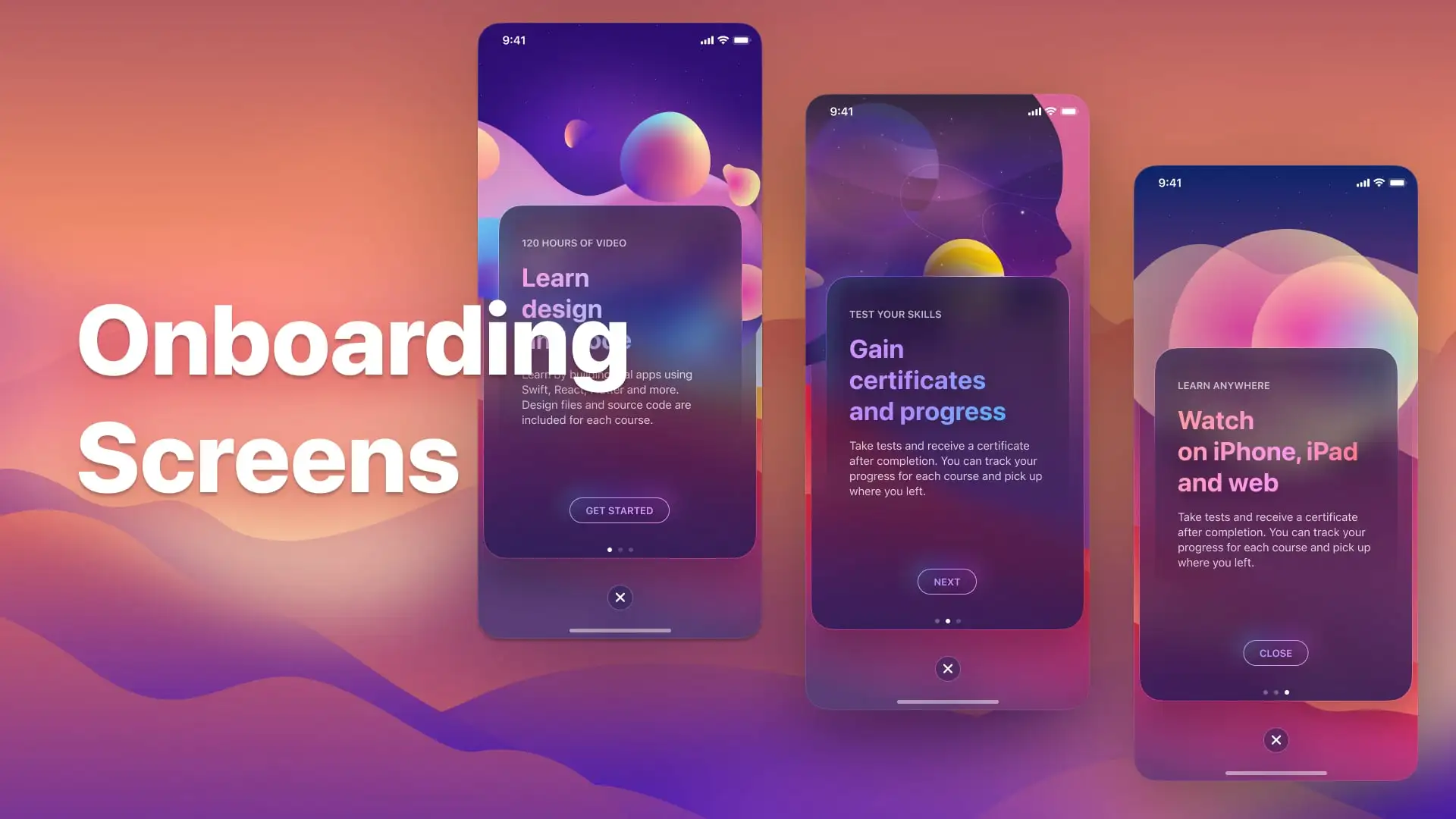
Most developers ship onboarding the same way they ship a loading screen: quickly, reluctantly, and with the vague sense that they'll "come back and improve it later." They rarely do. And the revenue data on that decision is brutal.
According to Business of Apps, the global app onboarding completion rate after day 30 sits at just 8.4%. More starkly: 77% of daily active users stop using an app within the first three days of installation. The product they never fully used was not necessarily bad. In most cases, onboarding failed to get them to the moment where they could see that it was good. The drop-off was not a product problem. It was a communication problem — and communication problems are fixable.
77%
of users churn within the first 3 days of install
Business of Apps, 2025
8.4%
global onboarding completion rate at day 30
Business of Apps, Q2 2025
40%+
Day-1 retention for apps with optimized onboarding vs 25% average
UXCam, 2026
50%
of app conversions are decided during the onboarding flow
VWO Mobile Onboarding Guide, 2026
The implication is direct: half of your conversion revenue is decided before users touch your core product. That makes your onboarding flow not a UX nicety — it is your highest-leverage growth surface. A few focused improvements here can outperform months of feature development. Below are the four rules that separate the apps that compound on this advantage from the ones that leave it on the table.
Rule 1: One Input Per Screen
Open almost any indie app and you will find the same mistake: five questions crammed onto a single onboarding screen. Name, email, goal, experience level, preferred notification time — all at once. The designer thought they were being efficient. Users experience it as a wall.
Cognitive load research is unambiguous here: each additional decision point on a screen increases the probability of abandonment. The principle of progressive disclosure — revealing complexity gradually rather than all at once — is not a UX opinion, it is a conversion law. One input per screen feels slower to build but moves users faster through the flow, because the perceived effort per step is minimal. Add a progress bar at the top of every screen and the psychological contract becomes explicit: "You are this far through a finite journey." Users are dramatically more likely to finish a task when they can see they are already partway through it.
"Mandatory, lengthy onboarding hurts user autonomy. Over 30% of required onboarding steps are unnecessary and can be removed without harming the user experience."— Zigpoll UX Research, 2025
The practical rule: audit every screen in your onboarding flow and ask "what is the single job of this screen?" If the answer contains the word "and," split the screen. If a question does not directly affect what the user sees next, cut it entirely. Personalization questions that do not actually change the downstream experience are friction with no payoff — users sense this and it erodes trust.
Rule 2: Instrument Every Screen — You Cannot Fix What You Cannot See
You can have a great onboarding flow overall and still be hemorrhaging users on screen 4 of 7. Without screen-level telemetry, you will never know. Aggregate retention metrics — day-1 retention, week-1 retention — tell you that something is wrong. They do not tell you where the fracture is. A single weak screen can distort the performance of an entire flow that is otherwise excellent.
The instrumentation is not complex. Fire a telemetry event every time a user advances from one onboarding screen to the next. Name the events consistently — `onboarding_screen_1_completed`, `onboarding_screen_2_completed` — and feed them into a funnel in Mixpanel or Amplitude. Within days you will have a clear picture of exactly where users are dropping out. The screen with the highest incremental drop-off is your first target.
18%
ARR growth lift from cutting time-to-value by just 20%
Amplitude Study, 2024
2×
higher activation when onboarding guides users to one meaningful action first
VWO, 2026
30–50%
reduction in support tickets when onboarding addresses key confusion points
VWO Mobile Onboarding Guide, 2026
35%
higher completion rate with personalized onboarding paths
UserGuiding, 2026
Mixpanel and Amplitude are the two dominant tools here. For most teams under 50,000 monthly active users, Mixpanel's funnel analysis provides everything you need without the overhead of Amplitude's more complex configuration. In February 2025, Mixpanel moved to fully event-based pricing, making it accessible to indie developers and small teams building consumer apps. If you are unwilling to add a third-party dependency, fire the events to your own backend and build a simple funnel query. The tooling is secondary. The discipline of measuring every step is not optional.
What to Look For in the Data
- Any screen with a drop-off rate more than 15 percentage points higher than the screen before it is a red flag — investigate immediately.
- Look at time-spent per screen alongside drop-off. High time + high drop-off means the screen is confusing. Low time + high drop-off means users are skipping without engaging at all.
- Segment your funnel by acquisition source. Users from paid ads often have different drop-off patterns than organic users — they may need more context about what the app actually does.
- Run a brief qualitative survey after onboarding ("Was anything confusing?") using quick emoji taps. When more than 25 responses point to the same friction point, that is a signal to rewrite that screen's copy or UX.
Rule 3: Your Paywall Should Sell the Outcome, Not the Feature List
Consider two paywalls for a hypothetical fitness app. The first lists everything in the subscription: 500 recommended workouts, an AI calorie tracker, offline mode, Apple Health sync, a community forum, and a personal records dashboard. The second says nothing about features. It says: "70% of users who complete this program achieve their fitness goal within 90 days. Start your free trial." Which converts better?
Every A/B test and dataset on this question points to the same answer: the outcome-focused paywall wins. RevenueCAT's research on paywall placement and design found that dynamic, outcome-first paywalls deliver approximately 35% higher conversion rates than static, feature-listing paywalls. Superwall's analysis of high-converting subscription apps found that the strongest paywalls follow a simple structure: lead with the outcome, support it with social proof, then list features as the mechanism — not the headline.
"Strong paywalls sell outcomes, not features. The copy that converts reads: 'Get results, without X' — not 'Get access to Y features.' Features are evidence. The outcome is the sale."— Superwall Best Practices Research, 2025
The paywall timing matters as much as the copy. The highest-converting paywall placement is immediately after the user's first meaningful value moment inside the app — the moment they personally experience what the product does. Triggering a paywall before that moment is asking users to pay for something they have not yet felt. Triggering it after gives the paywall a referent: the user already has a memory of value, and the paywall is now an offer to repeat and expand that experience.
A note on redundancy: if your onboarding flow already demonstrated the product's core value clearly, your paywall does not need to repeat all of it. Streamline. A paywall that restates everything the onboarding just said feels padded and reduces trust. Make the offer clear, concise, and specific. Users should be able to read it in under ten seconds and understand exactly what they are getting.
Rule 4: The Last Onboarding Screen Is Not the End of Onboarding
This is the rule most developers miss entirely, and it is the one with the largest downstream impact on retention. When a user taps "Get Started" and lands in your product for the first time, they are not onboarded. They have been oriented. Onboarding ends when the user completes their first meaningful action — the core behavior that delivers the product's primary value — and has a genuine "aha moment."
Product research firm Userpilot defines the aha moment as the point where the user personally experiences the specific value your product was built to deliver. For Spotify, it is the first time a playlist plays uninterrupted, perfectly matched to a mood. For a B2B SaaS tool, it might be the first report generated that reveals something the user did not know before. For a fitness app, it is finishing the first workout and seeing a logged entry. Until this moment happens, the user is still at risk.
The Hand-Hold Window
The most dangerous gap in most apps is the space between the last onboarding screen and the first meaningful action. This gap — often a blank dashboard, an empty state, or a feature menu with no clear starting point — is where a significant fraction of users who completed your intro flow still churn. They finished your slides. They just did not know what to do next.
Closing this gap requires extending the hand-hold beyond the intro flow. Contextual tooltips that activate on first encounter with a key feature — not a pop-up tutorial that runs on launch, but a small callout that appears the first time a user hovers over or taps the most important button — dramatically reduce confusion without adding upfront friction. An optional "Next step" ribbon anchored to the bottom of the screen, pointing toward the core action, keeps new users oriented without blocking their exploration. The goal is to make the path to the aha moment impossible to miss.
Apps that close this gap see retention gains that compound. RubyRoid Labs' 2026 analysis of onboarding drop-off patterns found that 70% of user churn in the first session occurs not because the product is bad, but because users encountered confusion in the first 60 seconds after the intro flow ended. Confusion is not a feature problem. It is a guidance problem. And guidance problems are entirely within the developer's control.
Bonus: Celebrate the Finish Line
This is the simplest item on the list and one of the highest-return implementations in onboarding: a genuine celebration screen. When a user completes your onboarding flow, or subscribes, or completes their first meaningful action — stop. Acknowledge it. A clear congratulatory message, an animation, even confetti. It sounds trivial. The behavioral data on it is not.
Positive reinforcement at key completion milestones increases the likelihood that users return to complete the next step. Gamification research cited by UserGuiding found that 65–70% of organizations using milestone celebrations in onboarding reported measurably higher completion rates compared to flows without them. The mechanism is basic behavioral psychology: reward the behavior you want repeated. If you want users to engage deeply with your product, reward them the first time they do it.
Putting It Together: The Onboarding Audit Checklist
Before you build new features, run this audit on your existing onboarding flow. Most of the revenue is already there — it is just leaking through fixable gaps.
- Does every screen do exactly one job? If any screen asks two questions or communicates two distinct things, split it.
- Is there a visible progress indicator at the top of every step? Users need to know they are in a finite sequence with an end.
- Is every screen instrumented? Can you see, right now, the exact percentage of users who drop off on screen 3 versus screen 4?
- Have you identified your single weakest screen — the one with the biggest incremental drop-off — and made it your current sprint priority?
- Does your paywall lead with an outcome statement, not a feature list? Is there social proof (a percentage, a testimonial, a stat) above the fold?
- Is your paywall placed after — not before — the user's first value moment inside the product?
- What happens after the last onboarding screen? Is there a clear, contextual pointer to the first meaningful action users should take?
- Have you mapped your aha moment? Do you know the exact action that, once completed, predicts a user's long-term retention?
- Is there a celebration or acknowledgment when users complete onboarding or subscribe?
- Have you removed every onboarding question that does not change what the user sees next?
"You don't need new pages or new content. You need to identify the gaps in what you already have, answer them precisely, and publish. The revenue was always there."— H.V.A Product & Strategy
At H.V.A, we build mobile and web applications where onboarding is treated as a first-class engineering surface, not a post-launch task. Funnel instrumentation, aha-moment mapping, and paywall optimization are part of the build spec — not the post-mortem. If you are building a product and want a development partner who understands the revenue architecture of modern apps, start with a call.